
















Saved Basket — Documentation
Let your customers save their basket and come back to it later, or share it by email, link, social network or QR code, so fewer carts are abandoned and more become orders.
What Saved Basket does for your shop
Many shoppers fill a basket and leave before they order: they get interrupted, they want to think it over, or they are on a phone and would rather finish on a computer. Saved Basket gives them an easy way to keep that basket and come back to it, and to share it with someone else, so more of those baskets turn into orders.
The shopper's journey
On the cart page, two buttons appear: Save Basket and Retrieve Basket. From there the shopper can:
- Save the basket and get a short basket code. They can type the code back in later on any device to bring the whole basket back.
- Email the basket to themselves (or to a friend). The email carries a one-click link, the list of products and the code.
- Share the basket on WhatsApp, Facebook, X, Messenger, LinkedIn, Pinterest or by email, or copy a link to paste anywhere.
- Open a shared link and land on a friendly page that shows the saved products and an Add to my basket button, instead of a bare redirect.
Signed-in customers also get a My Saved Carts page in their account, where they see every basket they saved, its status and a share button.
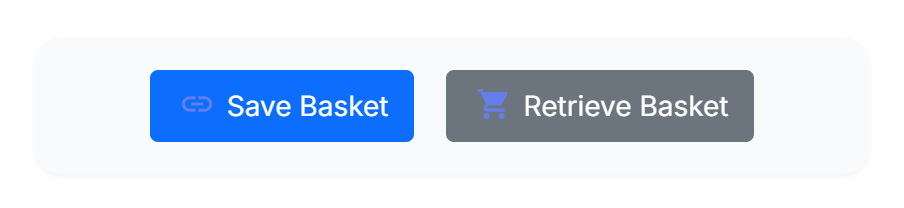
- Save Basket opens the save popup, where the shopper gets a code and can email or share the basket.
- Retrieve Basket opens a popup where a shopper types a code to bring a saved basket back.
What it does for you
Behind the scenes the module keeps a record of every saved basket, how many times each was retrieved and which ones became orders. The back office turns that into a dashboard with key figures and a chart, so you can see how much revenue saved baskets bring back. You can also let old baskets expire on their own, and email a gentle reminder shortly before a basket is lost.
| What the shopper sees | What you set up (default) |
|---|---|
| Save and Retrieve buttons on the cart | Shown automatically in the Classic and Hummingbird themes (on) |
| A save popup with the basket, a code and a share menu | Social sharing on, with seven networks and a copy-link button |
| An email with the basket and a one-click link | Sent whenever a shopper enters an email in the save popup |
| A friendly landing page when a link is opened | On |
| A reminder before a saved basket expires | Off until you turn on cart expiration and the reminder |
How to read this guide
- Words in bold blue are labels exactly as the screen shows them, for example the Save button. A path such as Modules › Module Manager means: open Modules, then Module Manager.
- Numbered markers in a screenshot are explained in the list under it.
- The screenshots show PrestaShop 9.1 with the Hummingbird theme. On PrestaShop 1.7.8 and 8, and with other themes, the pages look a little different, but the module's screens and labels are the same.
- If you only want the essentials, read Quick start: live in 5 minutes first.
Requirements and compatibility
Saved Basket runs on every supported PrestaShop version and needs nothing beyond a standard shop. Check this short list before you install.
At a glance
| PrestaShop | 1.7.8, 8.x and 9.x |
|---|---|
| PHP | 7.4 to 8.x (the version your PrestaShop already runs) |
| Themes | Classic and Hummingbird out of the box; any theme with a small change (Theme integration) |
| Database | Three small tables the module creates when you install it, and removes when you uninstall it |
| Multistore | Supported; a saved basket belongs to the shop it was saved on (Multistore) |
| Languages | English, French, Spanish, German, Italian, Polish and Romanian; the storefront texts follow the customer's language |
What it needs from your server
- Email. The save-and-share feature and the expiry reminder send email through PrestaShop's own mailer, so your shop must be able to send email (the setting under Advanced Parameters › E-mail).
- A scheduled task (optional). If you turn on cart expiration, point your server's scheduler at a URL once a day so old baskets retire themselves and reminders go out. This is explained in The scheduled cleanup (CRON); without it, nothing breaks, baskets simply never expire.
- No external service. QR codes and the dashboard chart are produced inside your shop. Nothing is sent to a third party.