

















Cart expiration and the cleanup job
By default, saved baskets never expire. If you would rather clear out old baskets automatically, the Cart expiration screen retires them after a set number of days, warns the customer before a basket is lost, and sends the expiry reminder. A daily scheduled job does the clearing.
The expiration settings
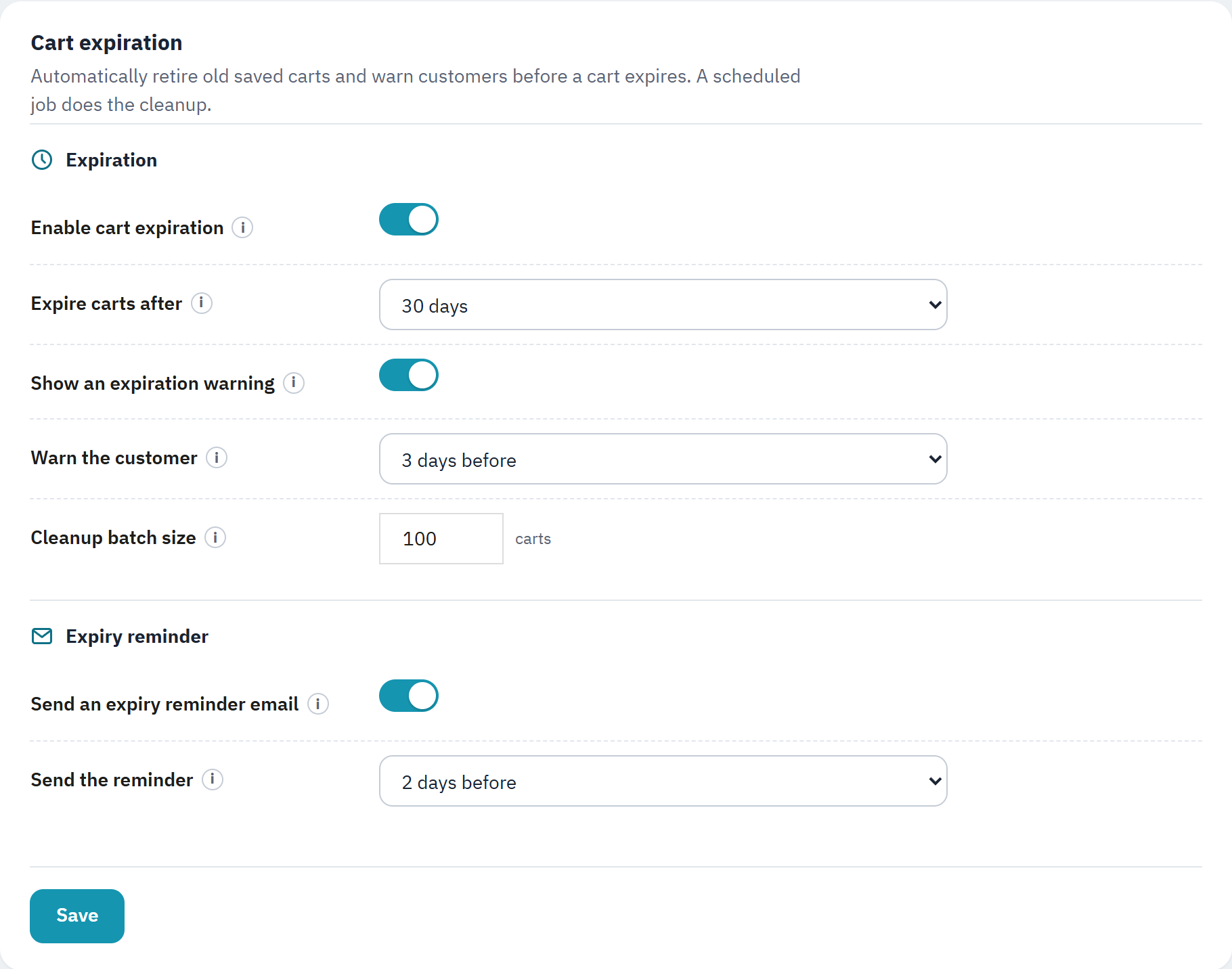
- Enable cart expiration: when off, saved baskets never expire.
- Expire carts after: how long a saved basket lives.
- Show an expiration warning: a banner on a retrieved basket close to expiring.
- Send an expiry reminder email: email the shopper before a basket expires.
- Save keeps your changes.
| Enable cart expiration | When off, saved baskets never expire and the cleanup job does nothing. When on, baskets are retired after the number of days below. Off by default. |
|---|---|
| Expire carts after | Days before a saved basket expires: Never, 7, 14, 30 (default), 60 or 90 days. |
| Show an expiration warning | Show a banner on a retrieved basket when it is close to expiring. On by default. |
| Warn the customer | How early the warning shows: No warning, 1, 3 (default), 5, 7 or 10 days before. The choices depend on the expiration period. |
| Cleanup batch size | The most expired baskets the cleanup job deletes per run, between 10 and 1000. The default is 100. A basket that became an order is never deleted. |
The expiry reminder
Under Expiry reminder, Send an expiry reminder email emails the shopper once, shortly before a basket they saved expires, with a link to bring it back (The expiry reminder). It needs cart expiration on, and the cleanup job sends the reminders too. It is off by default. Send the reminder chooses how many days before expiry it goes out: 1, 2 (default), 3, 5 or 7 days before. Each basket is reminded only once.
The scheduled cleanup (CRON)
The clearing and the reminders are done by a token-protected URL that your server's scheduler visits once a day.
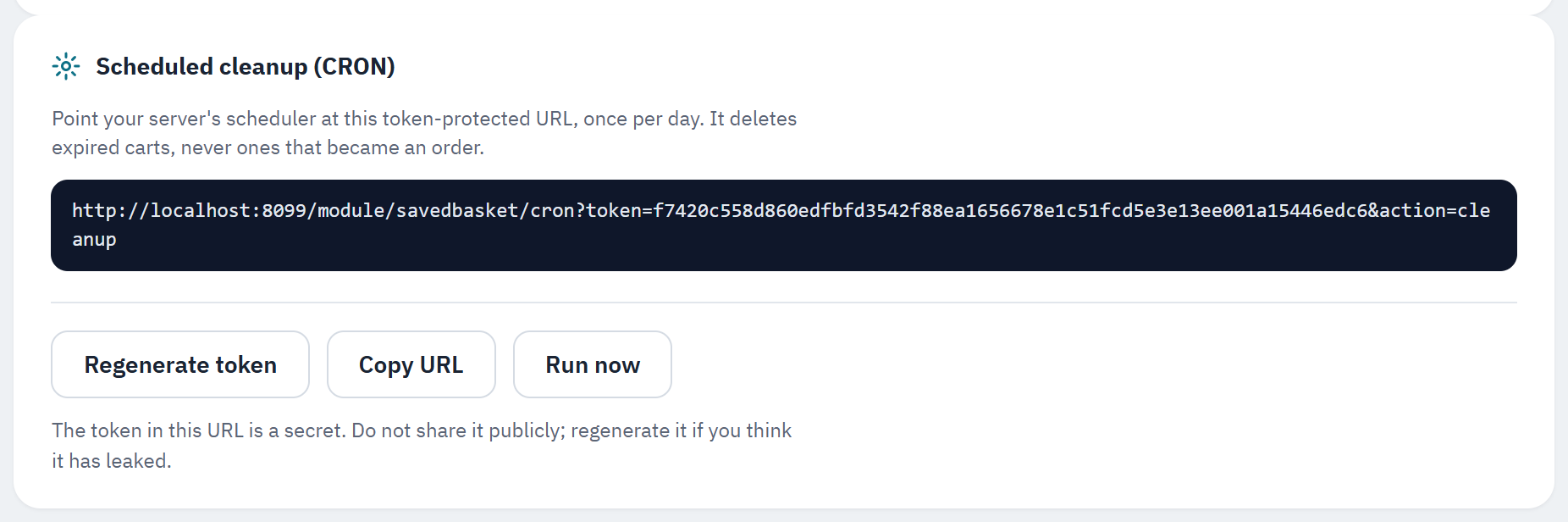
- The token-protected URL to give your scheduler.
- Regenerate token makes a new URL if you think the old one has leaked.
- Copy URL copies the URL to the clipboard.
- Run now runs the cleanup once, in a new tab.
- Copy the URL with Copy URL.
- In your hosting panel (cPanel, Plesk or your host's scheduler), add a cron task that visits that URL once a day.
- Keep the URL private: it ends in a secret token. If it leaks, click Regenerate token and update your scheduler with the new URL.