




















Demo store
This is a PrestaChamps demo store
This store is for presentation only: the products, prices and customers are samples, and nothing is sold or shipped. Feel free to browse it as a customer and try the back office demo to see how everything works.
Featured products
- -20%
- -20%




Best sellers




Special deals
- -20%
- -20%
 PrestaChamps · Official module demo
You are viewing the Saved Basket demo
Saved Basket
Saved basket
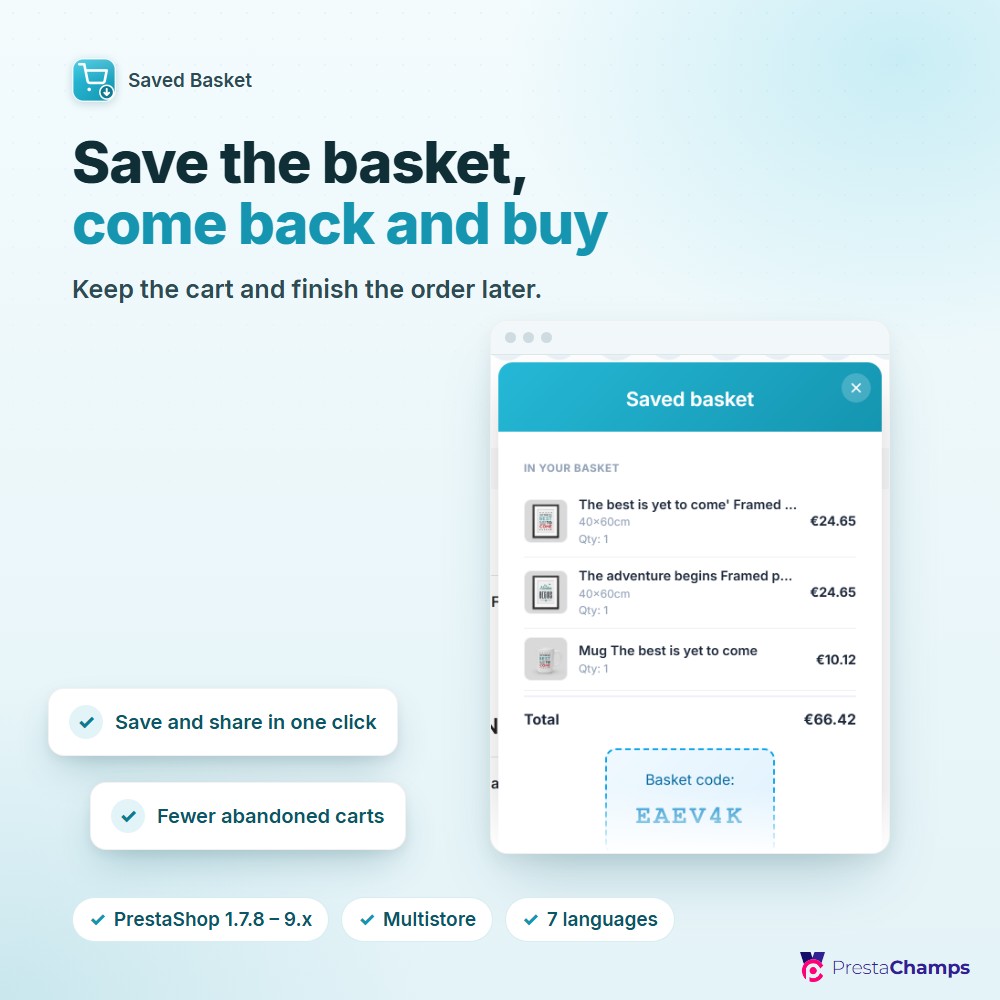
- Shoppers save their basket and bring it back on any device with a short code — no login needed
- Share by email, link, WhatsApp, Facebook and more; a friendly recovery page never retrieves a basket by accident
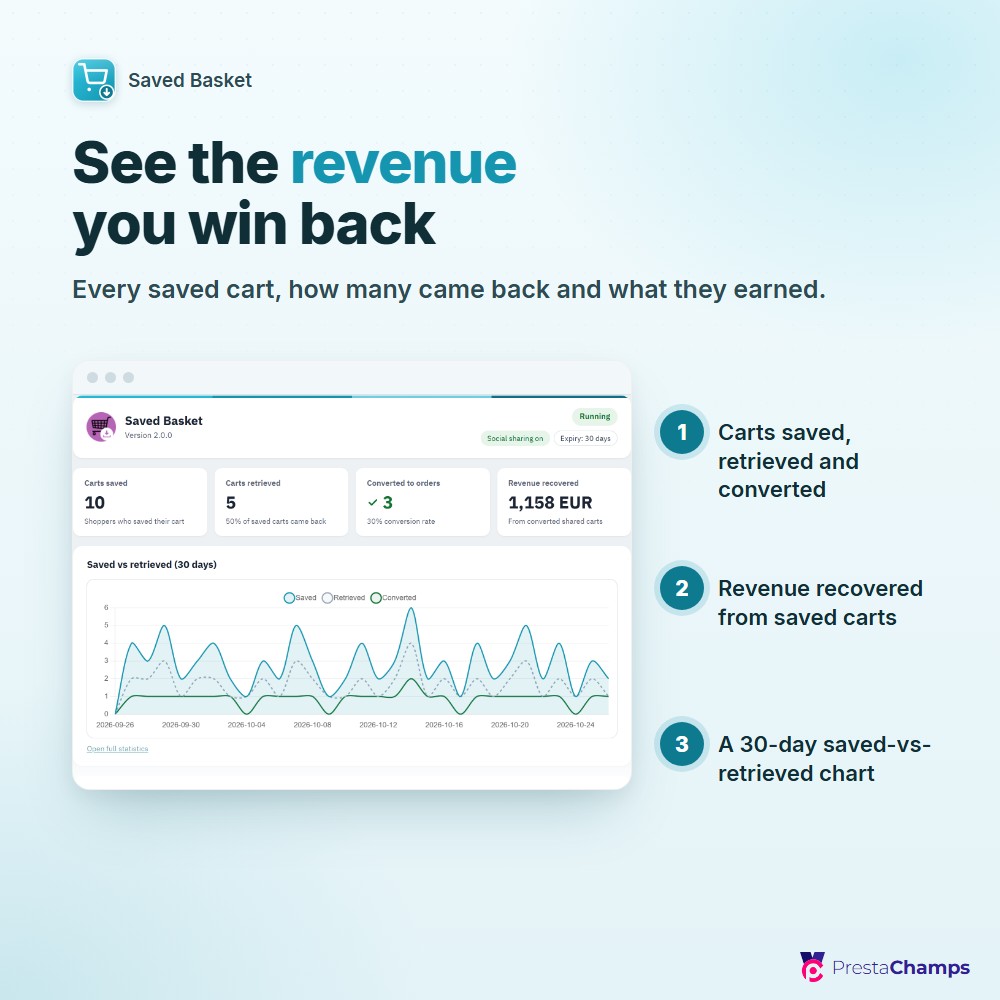
- A statistics dashboard shows carts saved, retrieved, converted and the revenue you win back
What it does
Save and retrieve on the cart
Save Basket and Retrieve Basket buttons on the cart page in the Classic and Hummingbird themes, with no theme editing; a save popup shows a basket preview and a short code, no login required.
Share anywhere
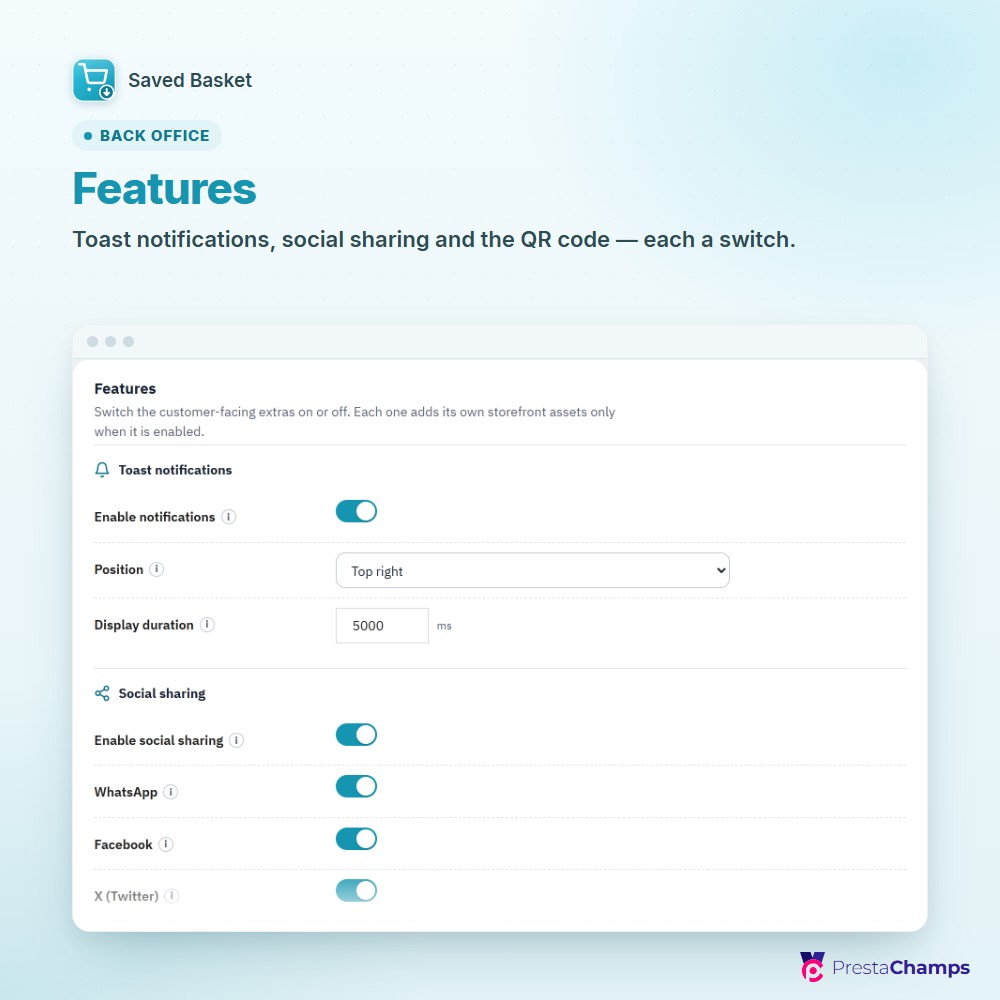
Share on WhatsApp, Facebook, X, Messenger, LinkedIn, Pinterest or by email, or copy a link; the share email carries the products, a one-click View the basket button and an optional QR code.
A safe recovery page
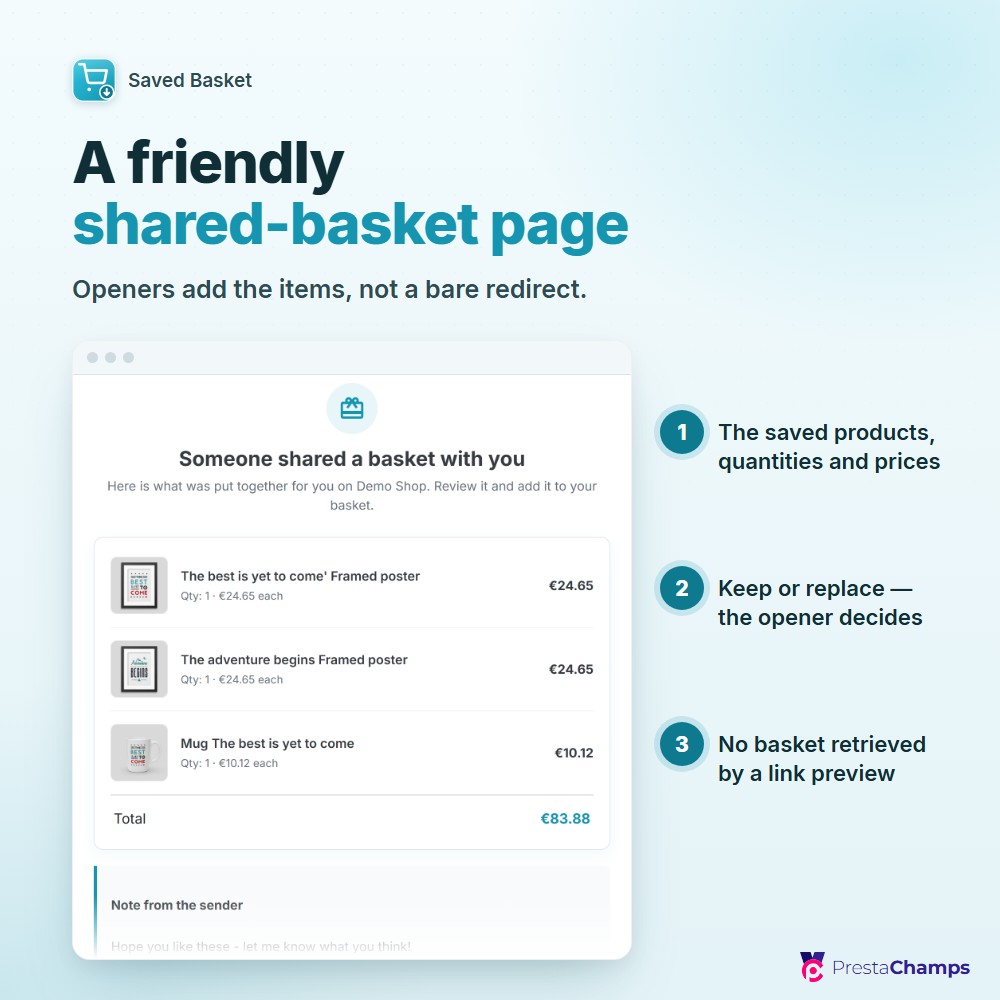
A shared link opens a friendly page with the saved products, the total and the sender's note, and an Add to my basket button — so a link preview never retrieves a basket by accident.
Keep or replace on retrieve
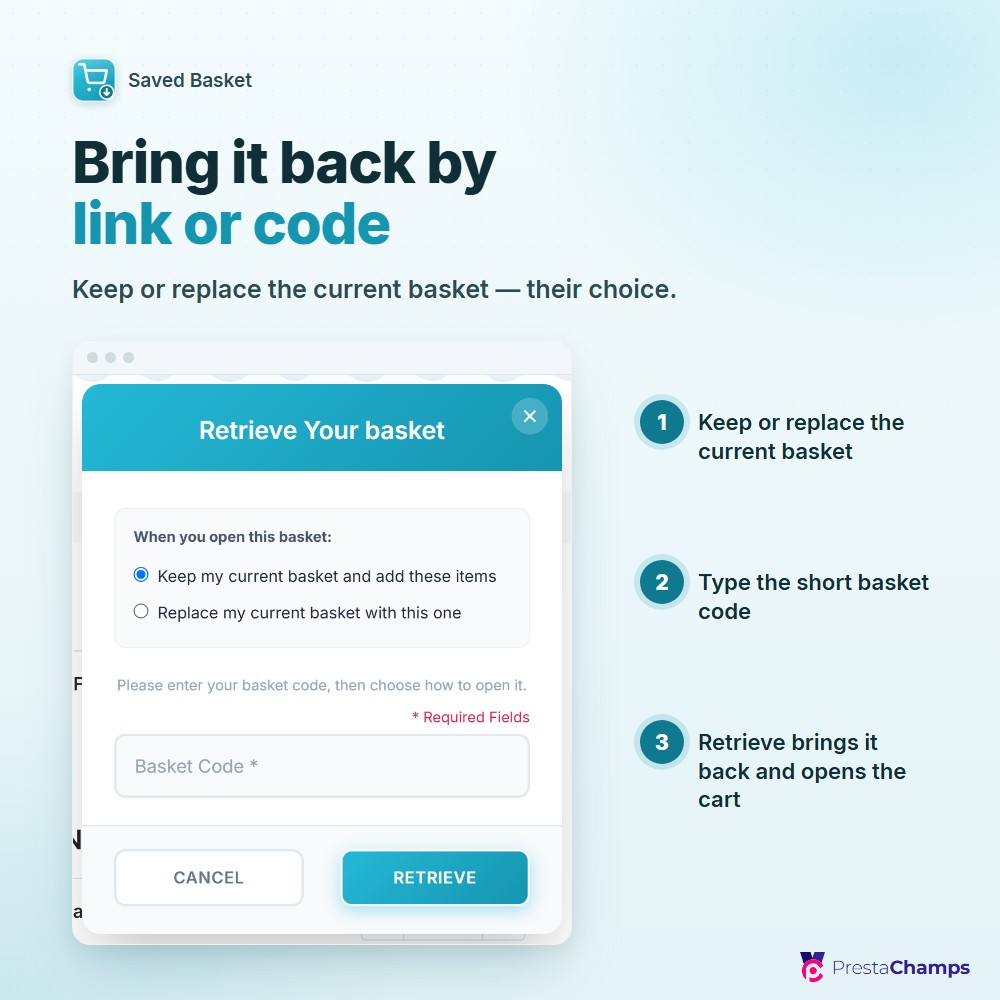
Merge the saved items into the current basket, replace it, or let the shopper choose; items come back through PrestaShop's own cart, so stock, availability and price rules are re-checked.
Expiry and a reminder email
Set a basket lifetime with a once-a-day cleanup, and turn on the opt-in email that reminds a shopper once before a saved basket is lost.
Dashboard, statistics and CSV
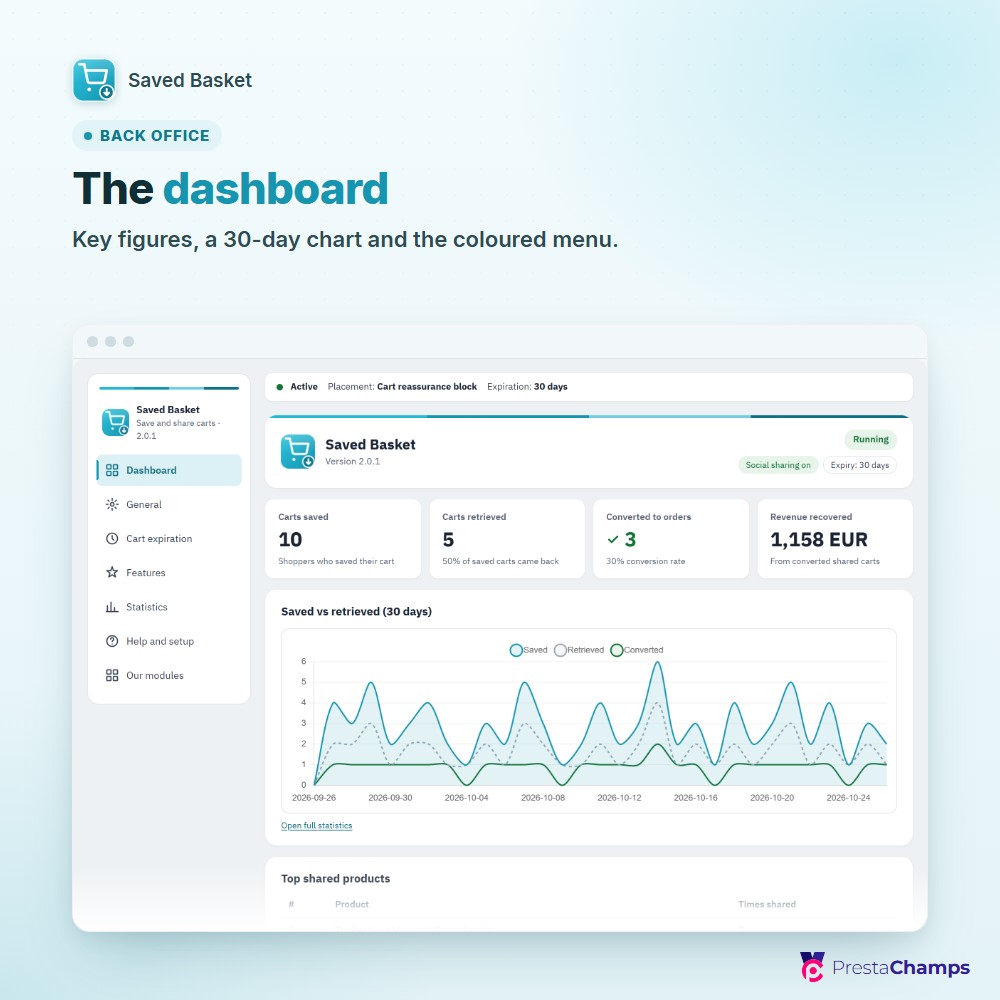
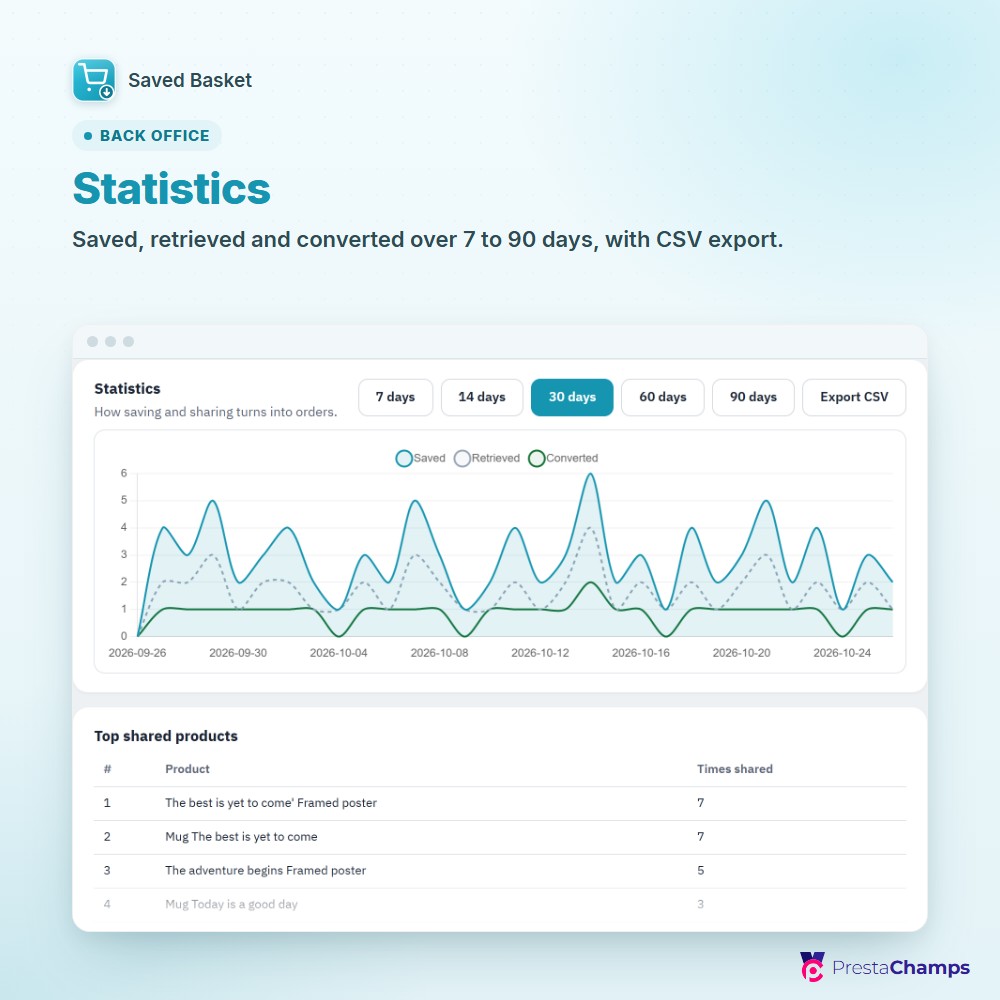
A dashboard-first back office with inline help on every field; the Statistics screen shows carts saved, retrieved, converted and revenue recovered, with a 30-day chart and CSV export.
See it in the shop
Technical sheet
- Works on
- PrestaShop 1.7.8 – 9.2
- PHP
- 7.4 – 8.x
- Module version
- 2.0.0
- Multistore
- Yes
- Languages
- 7 (storefront and emails)
- Technical name
- savedbasket